Who it is for
Solo business owners, freelancers and small teams who post on one or more platforms and keep losing ideas in notes apps, forgetting what is scheduled, or never checking which posts worked.
Ideas in one place
Every idea goes into an idea bank first, with a pillar, a source and a priority, so you always have something to write about.
A clear weekly plan
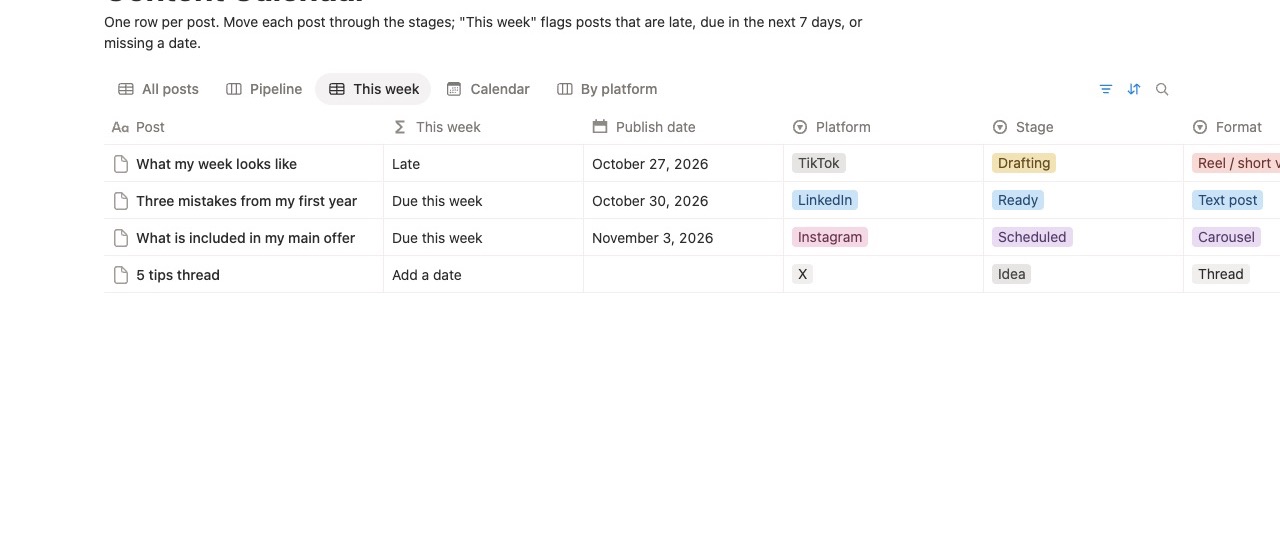
The "This week" view lists posts that are late, due in the next 7 days, or still missing a date. Published posts drop off.
Know what worked
Log each post's numbers and the monthly review adds them up, so you can repeat what got saves and comments.
What you get: 6 connected databases
Content Calendar
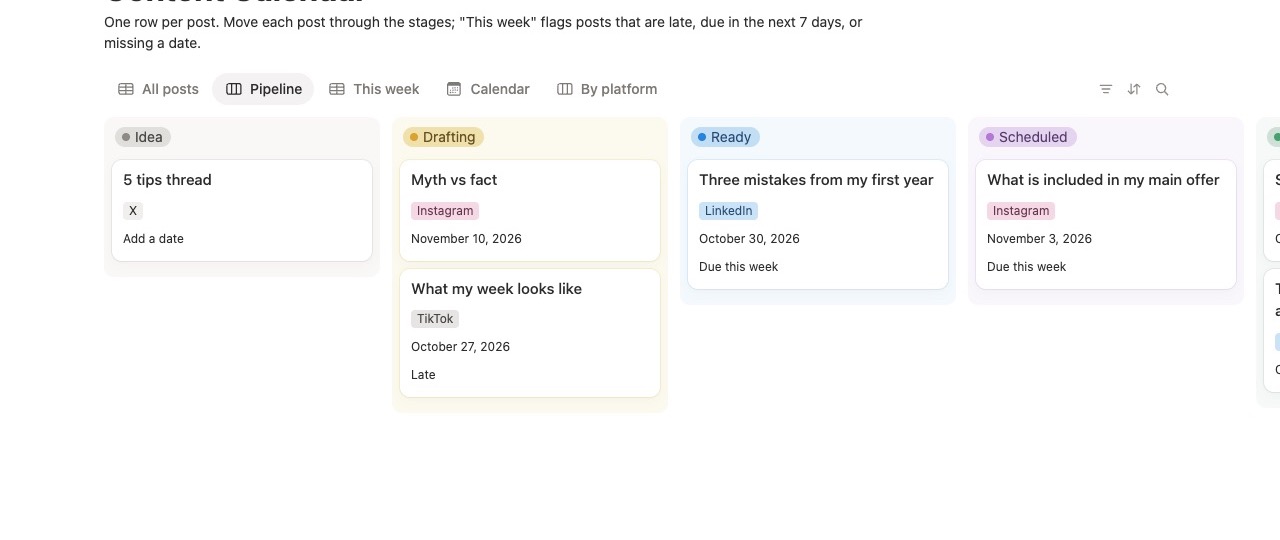
One row per post with platform, format, stage (Idea → Drafting → Ready → Scheduled → Published) and publish date. Views: Pipeline board, This week, Calendar, By platform, All posts.
Content Ideas Bank
10 starter ideas, each with a pillar (Teach, Behind the scenes, Proof, Offer, Community), source and status.
Post Templates
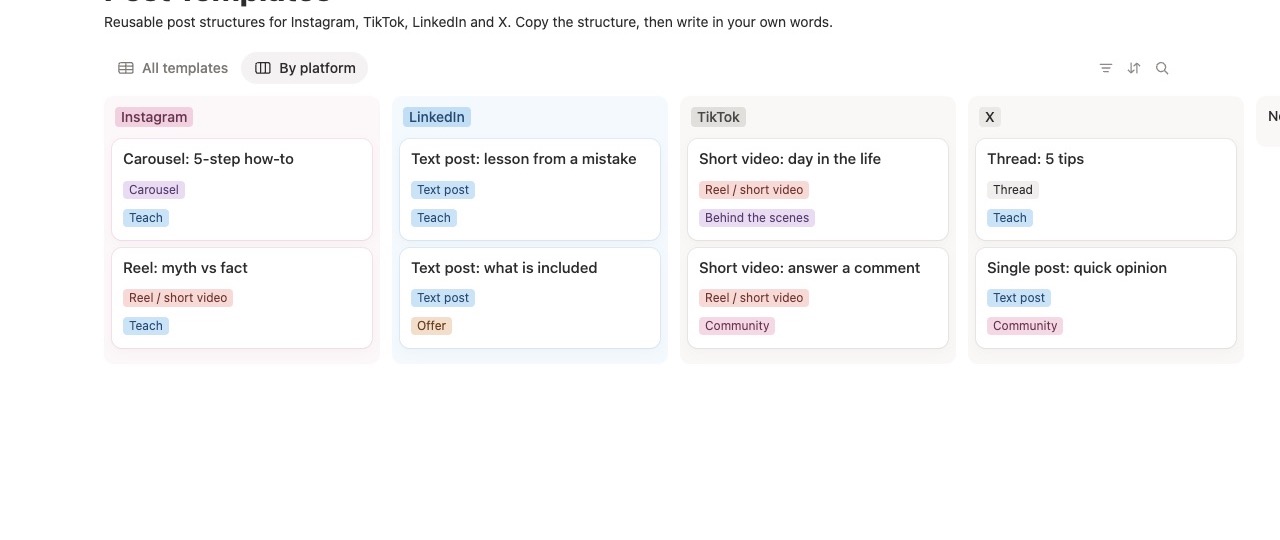
8 reusable post structures, two each for Instagram, TikTok, LinkedIn and X, with a short illustrative example for each.
Hashtag Bank
Save hashtag sets by topic and platform, and link them to posts. Sample sets are examples to replace with your own.
Engagement Tracker
Copy views, likes, comments, shares and saves from each platform's insights. Interactions and engagement rate calculate automatically.
Monthly Review
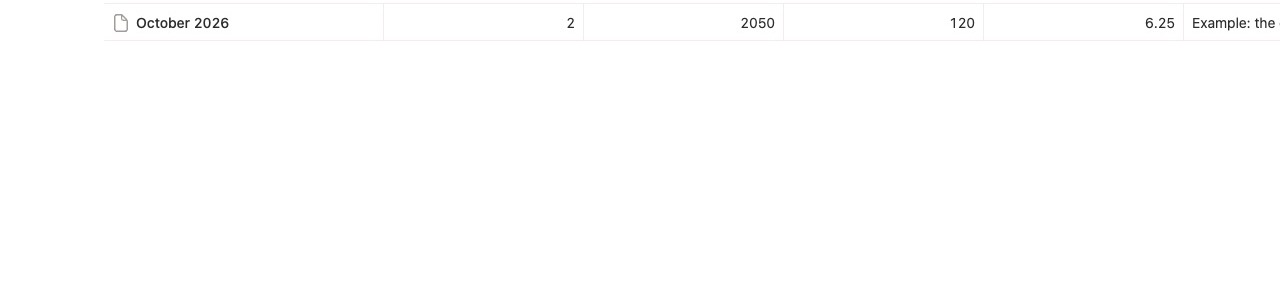
Your analytics page: posts tracked, total views, total interactions and average engagement rate per month, plus notes on what worked.
Requirements and limits
You need
- A Notion account. The free plan works.
- Notion on the web, desktop or mobile app.
- About 10 minutes to set up.
It does not
- Connect to your social accounts or post for you.
- Pull numbers automatically. You copy them from each platform's insights.
- Include charts. Notion's free plan limits charts, so totals are shown as numbers.
- Guarantee more followers or sales. It helps you plan and review.
How you receive it
After payment through Stripe you are taken to a page with a "Duplicate Content Calendar" link. Click it while logged in to Notion and the template is copied into your workspace. It is yours to change. Questions: [email protected].
Questions
Does it work with the free Notion plan?
Yes. It uses databases, relations, formulas and rollups, which are available on the free plan. It does not use charts.
Can I use other platforms, such as YouTube or a newsletter?
Yes. The Platform list already includes YouTube, Facebook, Blog and Newsletter, and you can add more. The 8 post templates cover Instagram, TikTok, LinkedIn and X.
Is the sample data real?
No. Sample posts, ideas and engagement numbers are made up so you can see how it works. Delete them when you start.
Is there a free way to learn the method first?
Yes. Our free lesson Build a Notion content calendar that shows what's due this week teaches the same "This week" formula step by step.
Content Calendar — $1.99
One-time payment. 6 connected databases. Works on the free Notion plan.
Also need your money admin sorted? The Business Bundle adds the Finance Dashboard for $1.99 in total.